OneDose Spaces

The knowledge base for your EMS system.

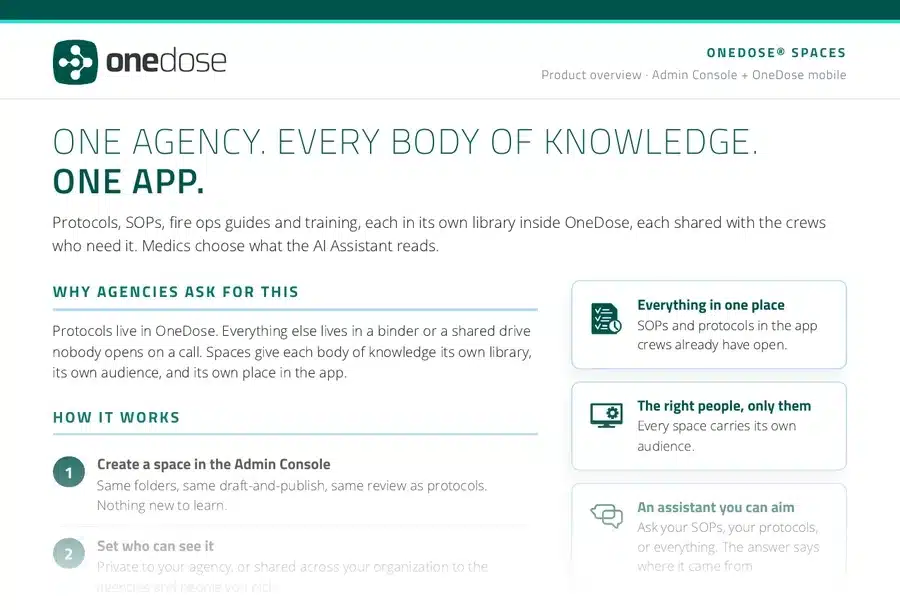
Keep your SOPs, fire ops guides and training in the same app as your protocols, each shared with exactly the crews who need it. Then just ask the OneDose AI Assistant.

New product, available now. Built on OneDose.

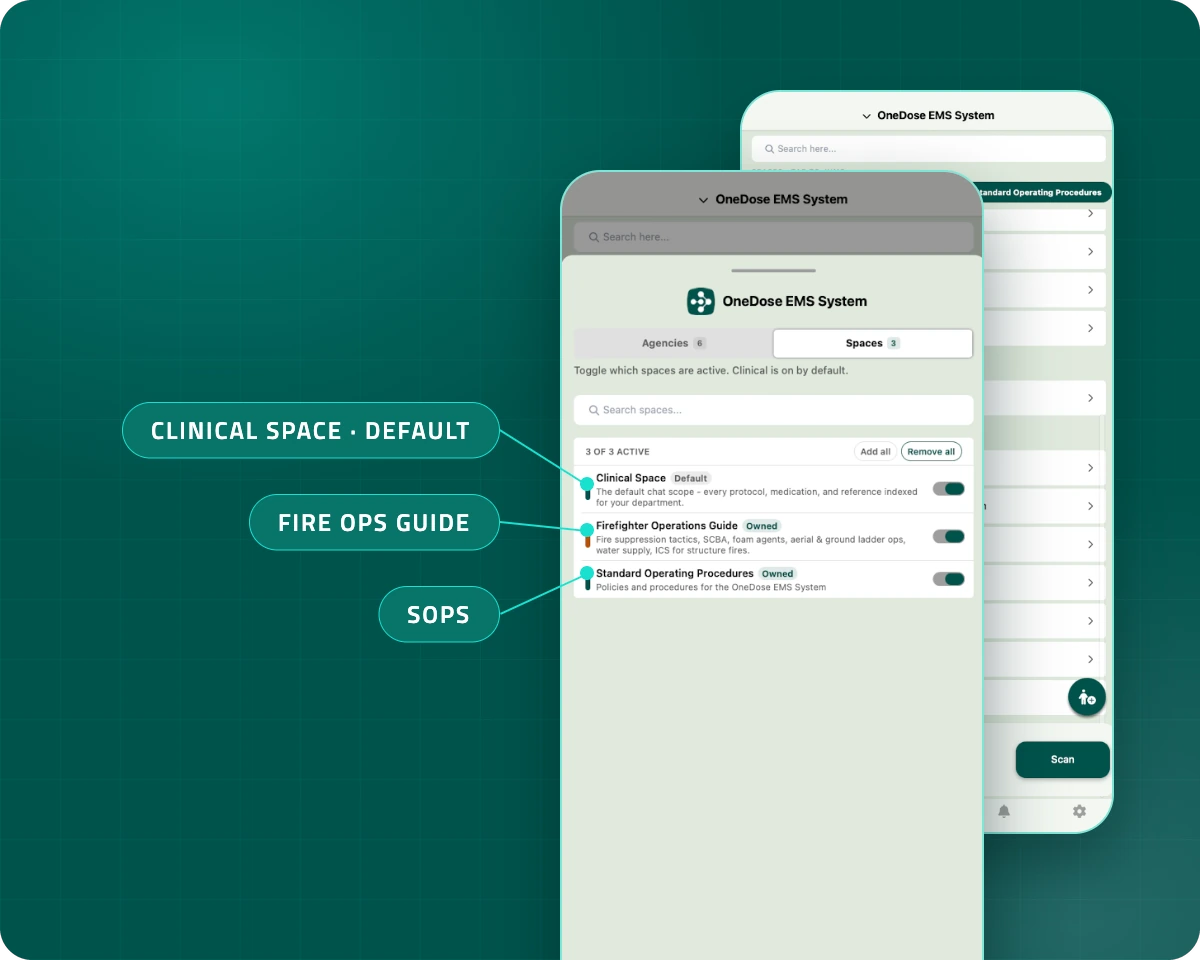
OneDose mobile app Spaces tab with Clinical Space, Firefighter Operations Guide and Standard Operating Procedures switched on, in front of the Protocols tab sectioned by space

Why agencies asked for this

Out of the binder. Into the app.

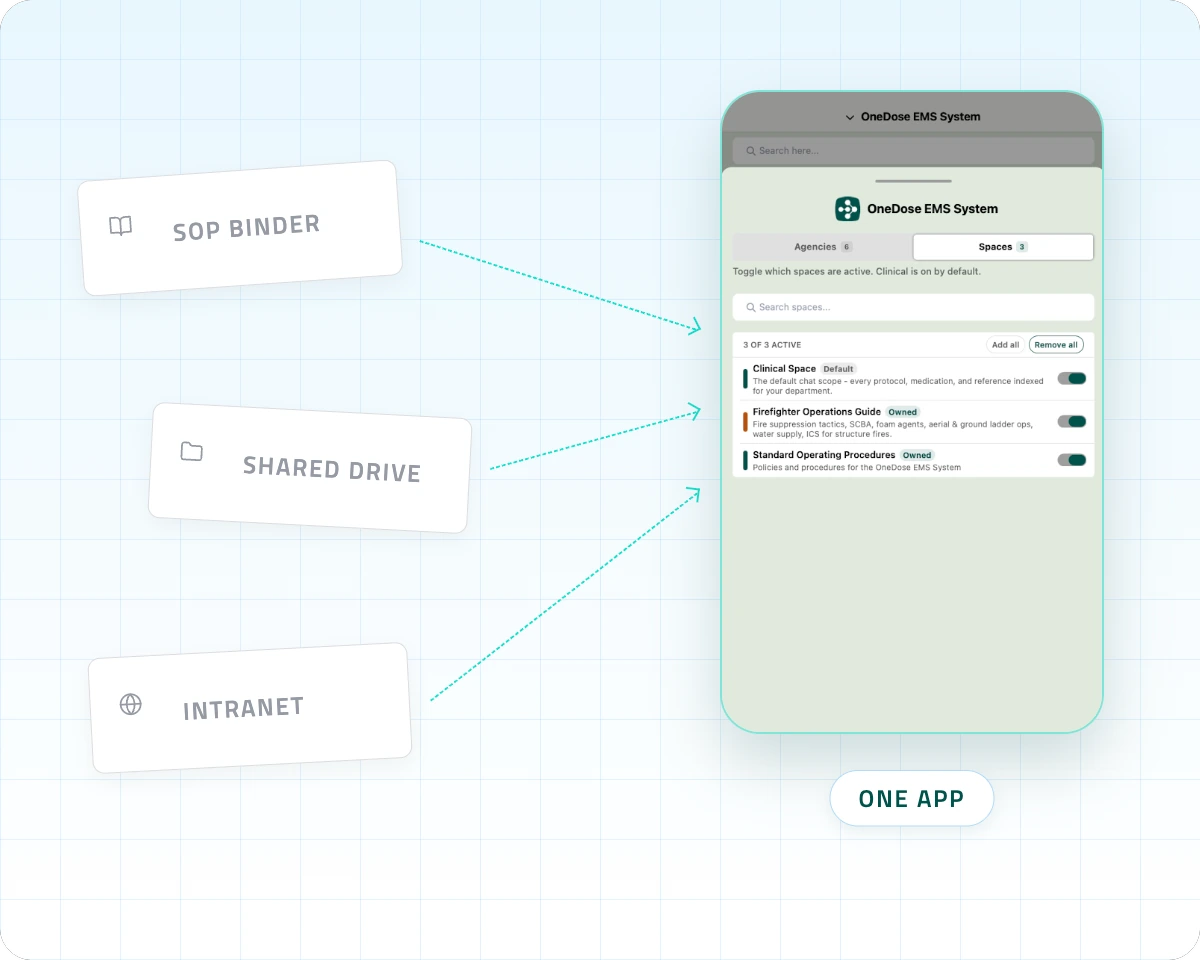
The SOP binder, the fire ops guide, the peer support policy, the active shooter job aid. Most of it sits on a shared drive nobody opens on a call.

Spaces brings it into the app your crews already have open, without cluttering the protocol list.

SOP binder, shared drive and intranet documents flowing into one OneDose app with three spaces

OneDose AI Assistant

Every policy, one question away.

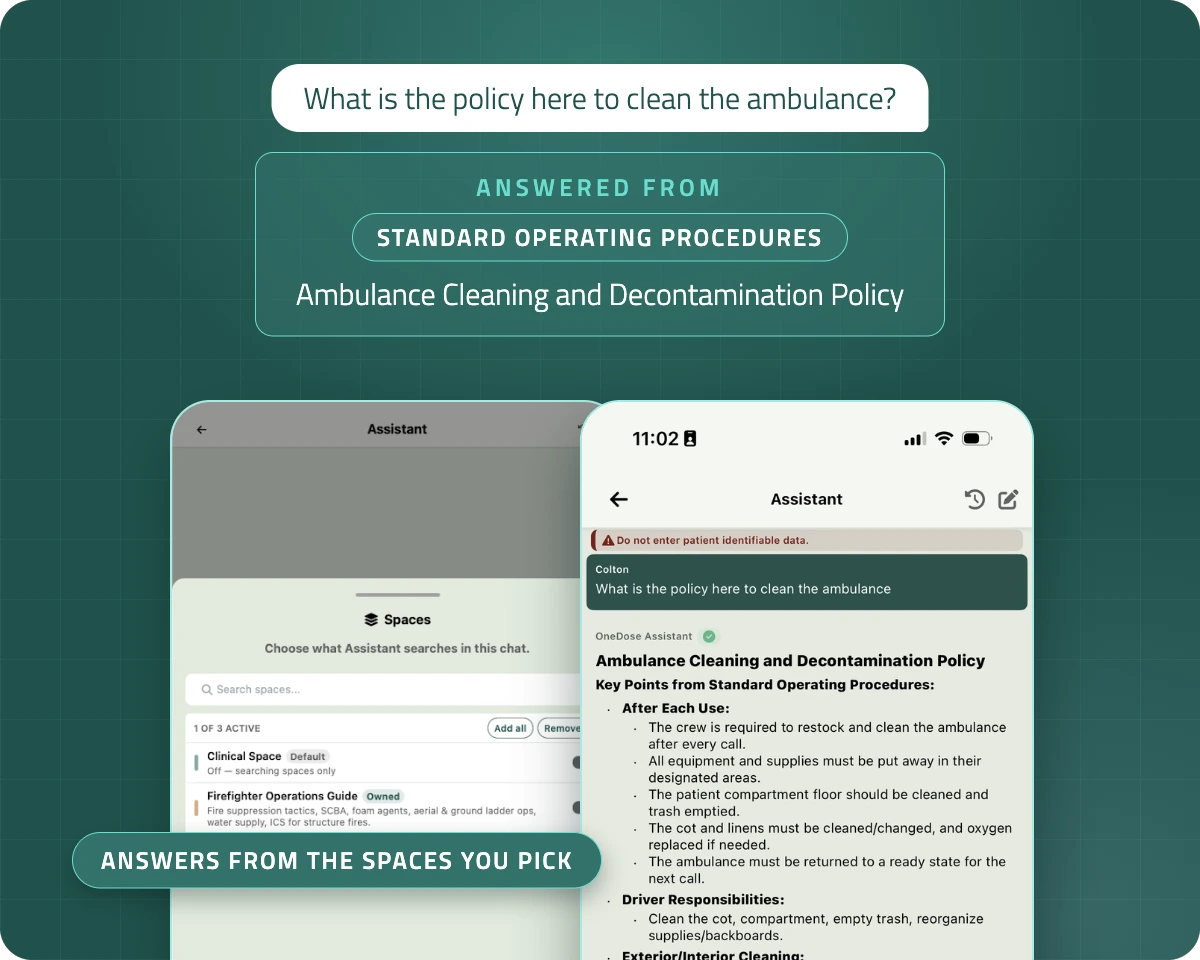
Once your SOPs and guides live in Spaces, finding them stops being a search. Crews ask the OneDose AI Assistant in plain language and get the answer from your own documents, with the space it came from.

  • Ask “What is the policy here to clean the ambulance?” and get your agency’s policy, not a generic answer
  • Pick which spaces it reads for each conversation
  • Answers are organized by the space they came from
  • Medication references come back as live dose cards

The AI Assistant requires an internet connection. Spaces stay viewable offline.

OneDose AI Assistant answering the question: What is the policy here to clean the ambulance? The answer comes from the Ambulance Cleaning and Decontamination Policy in the Standard Operating Procedures space.

How it works

Create. Share. Find it anywhere.

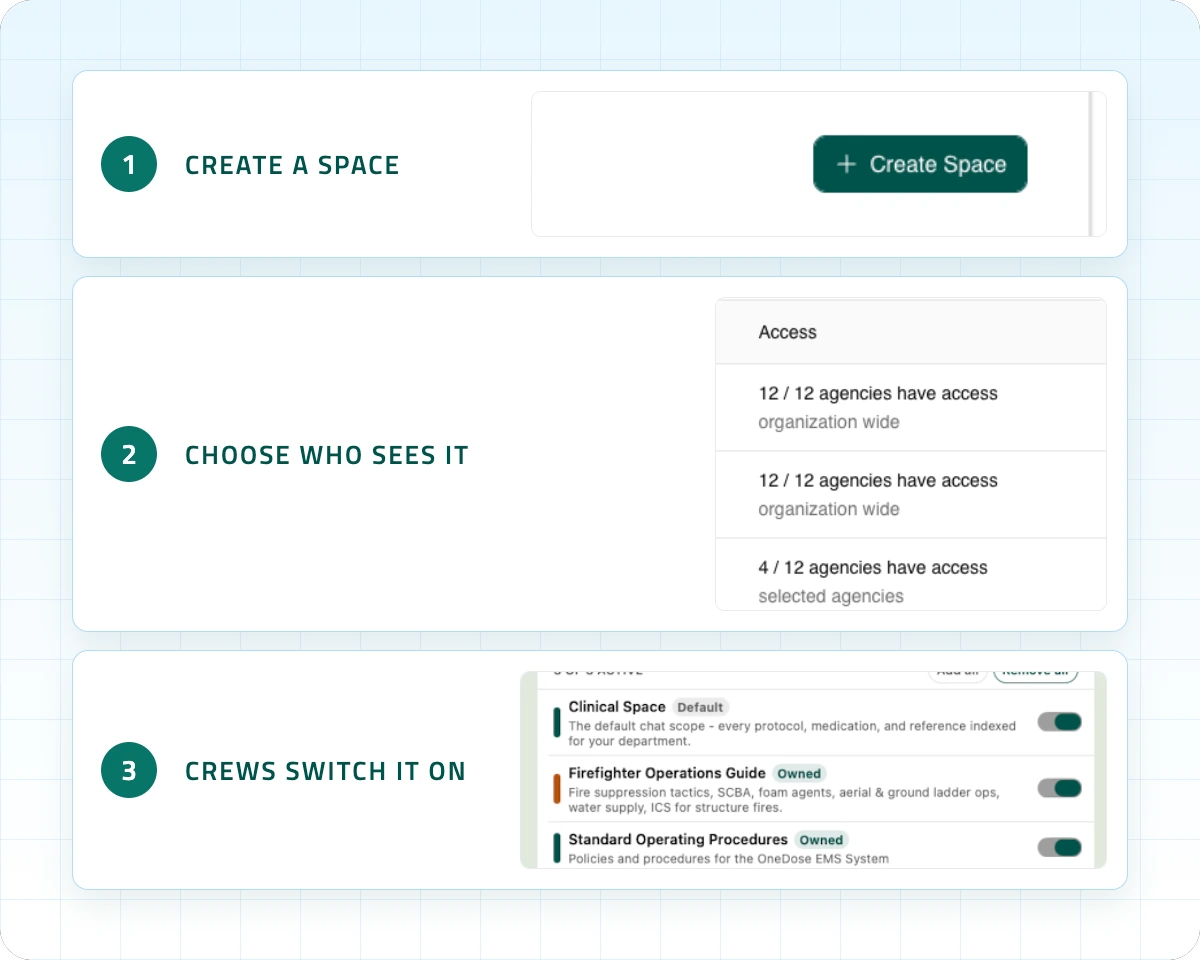
  1. Create a spaceSame folders, draft and publish, and review your admins already use.
  2. Choose who sees itShare it with your whole organization or only the divisions you pick.
  3. Crews switch it onToggle a space and its folders appear in the app.
Three steps in the OneDose admin console: create a space, choose which agencies see it, and crews switch it on in the app

For administrators

One console. Every library.

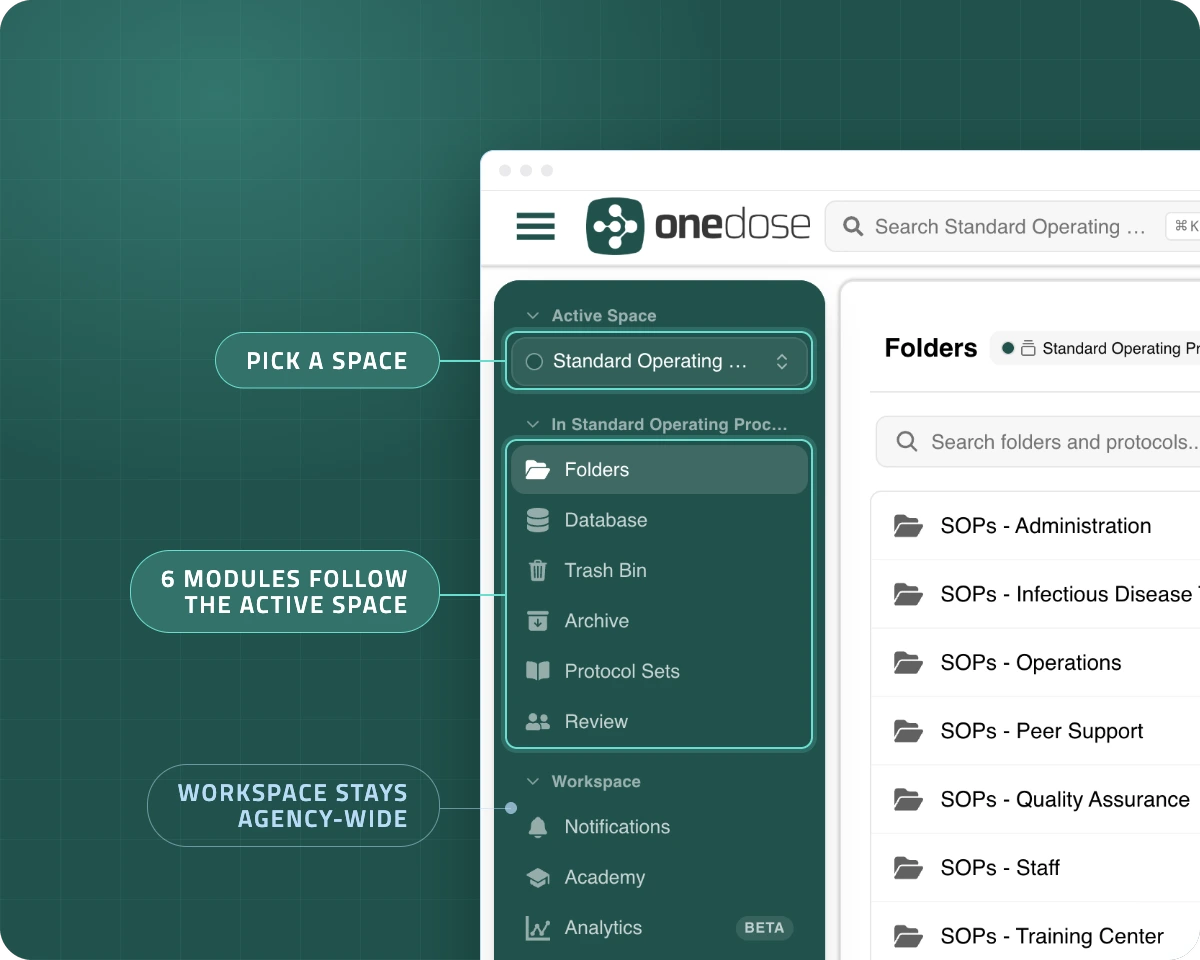
The space switcher sits at the top of the console sidebar, right where you already switch agencies. Pick a space and six modules follow it:

  • Folders
  • Database
  • Trash bin
  • Archive
  • Protocol sets
  • Review

Notifications, Academy, Credentials and Settings stay in Workspace, agency-wide.

OneDose admin console with the Active Space selector set to Standard Operating Procedures. Six modules follow the active space while Workspace, including Notifications, stays agency-wide.

Sharing

The right content reaches the right crews.

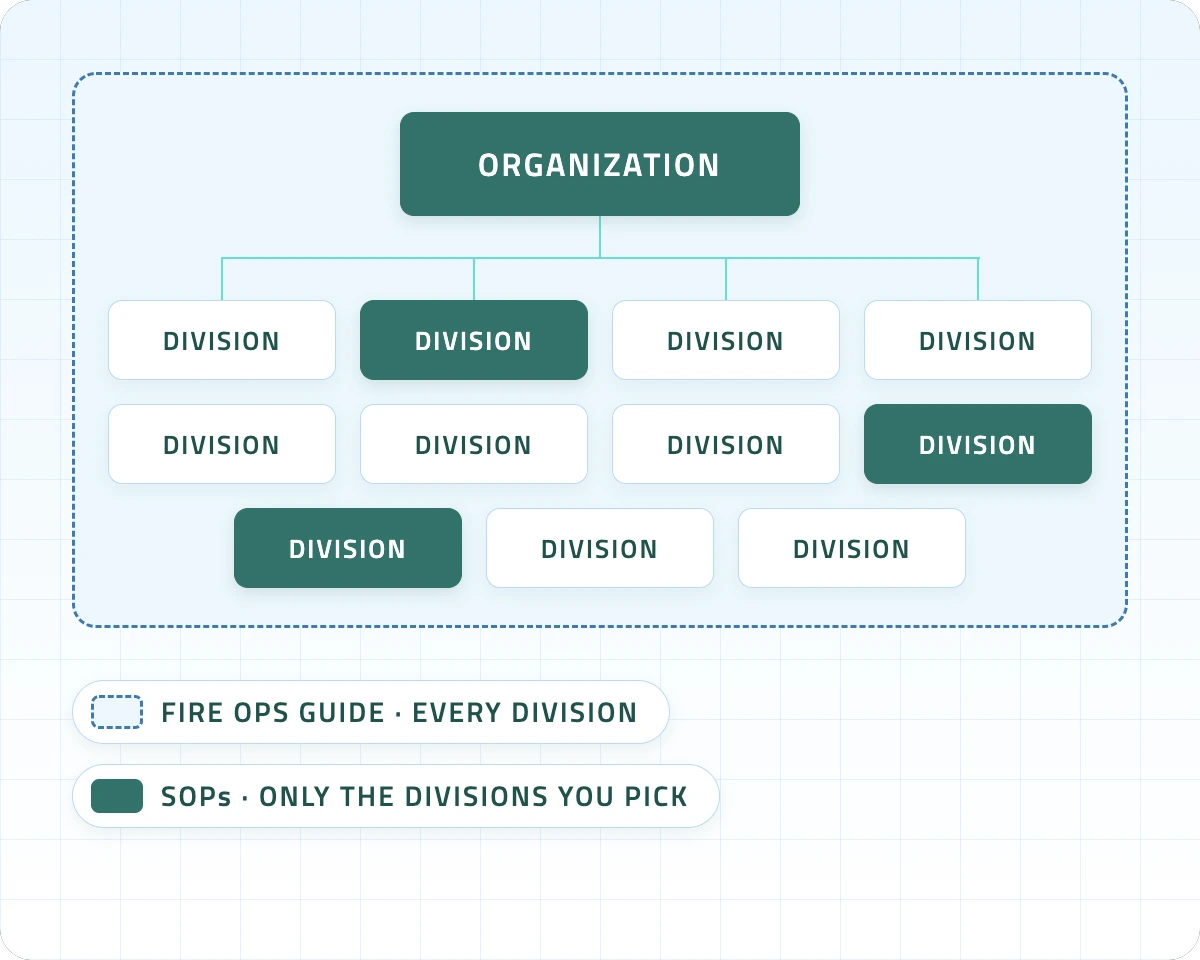
Every space carries its own audience. Your fire ops guide can reach every division while your SOPs reach only the divisions you pick. It works the same inside one agency or across a regional system.

  • VisibilityPrivate to the division that owns it, or findable across your organization.
  • Inclusive or restrictiveReach every division, or only the ones you pick.
  • PeopleAdd one person without opening the whole space.

Shared spaces are read-only for receiving divisions. Only the owning division edits.

Diagram of one organization with eleven divisions. The fire ops guide reaches every division while the SOPs space reaches only the divisions you pick.

For field crews

On every truck, even offline.

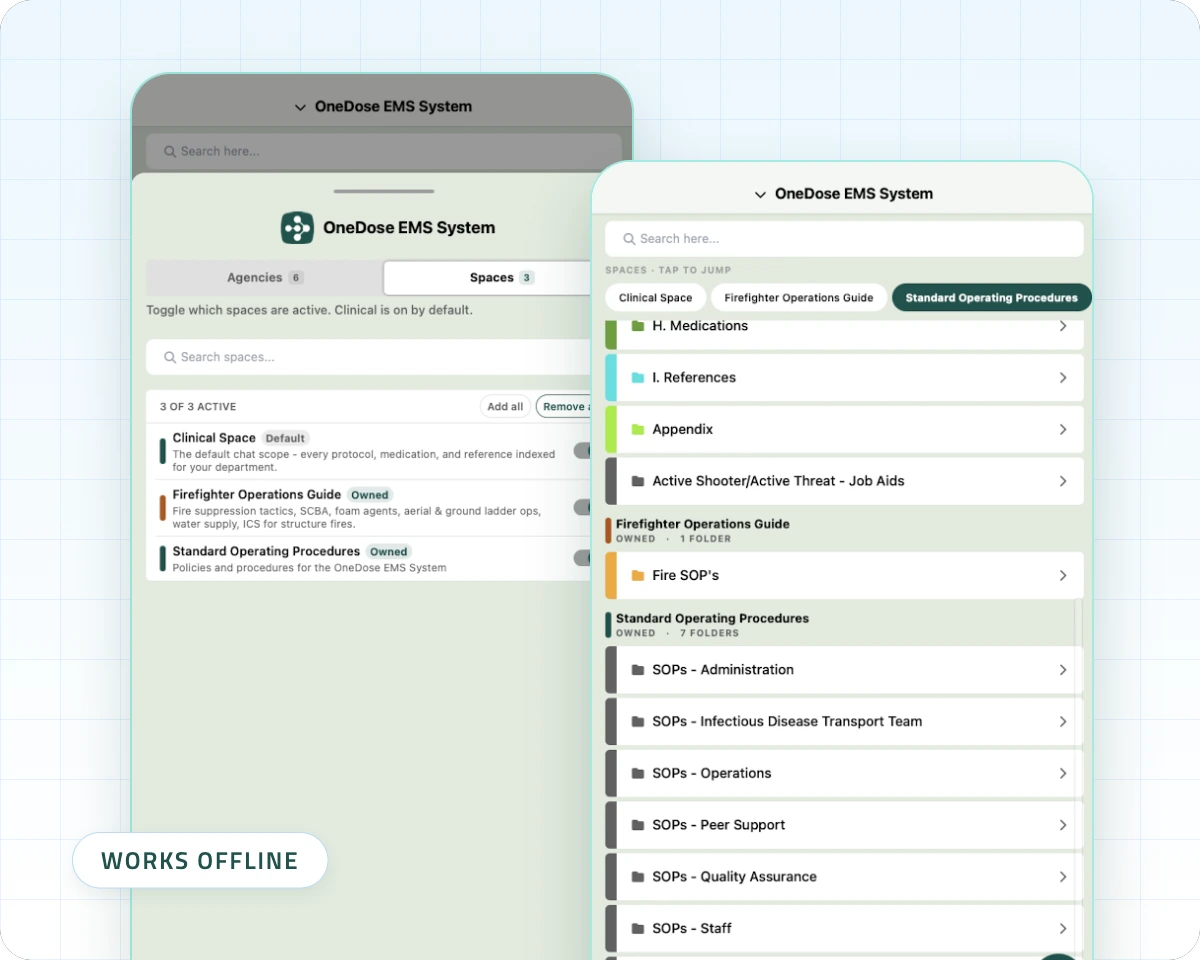
The agency switcher gains a Spaces tab. Turn on your SOPs or ops guide and the Protocols tab sections by space.

  • Clinical is on by default, so nothing changes until you want it to
  • Spaces work offline, same as protocols
  • The same document viewer crews already know
OneDose mobile app showing the space switcher and a space library, available offline.

Good to know

Built on the library you already trust.

Nothing changes until you say so

Add no other spaces and the app stays exactly as it is.

A type for every binder

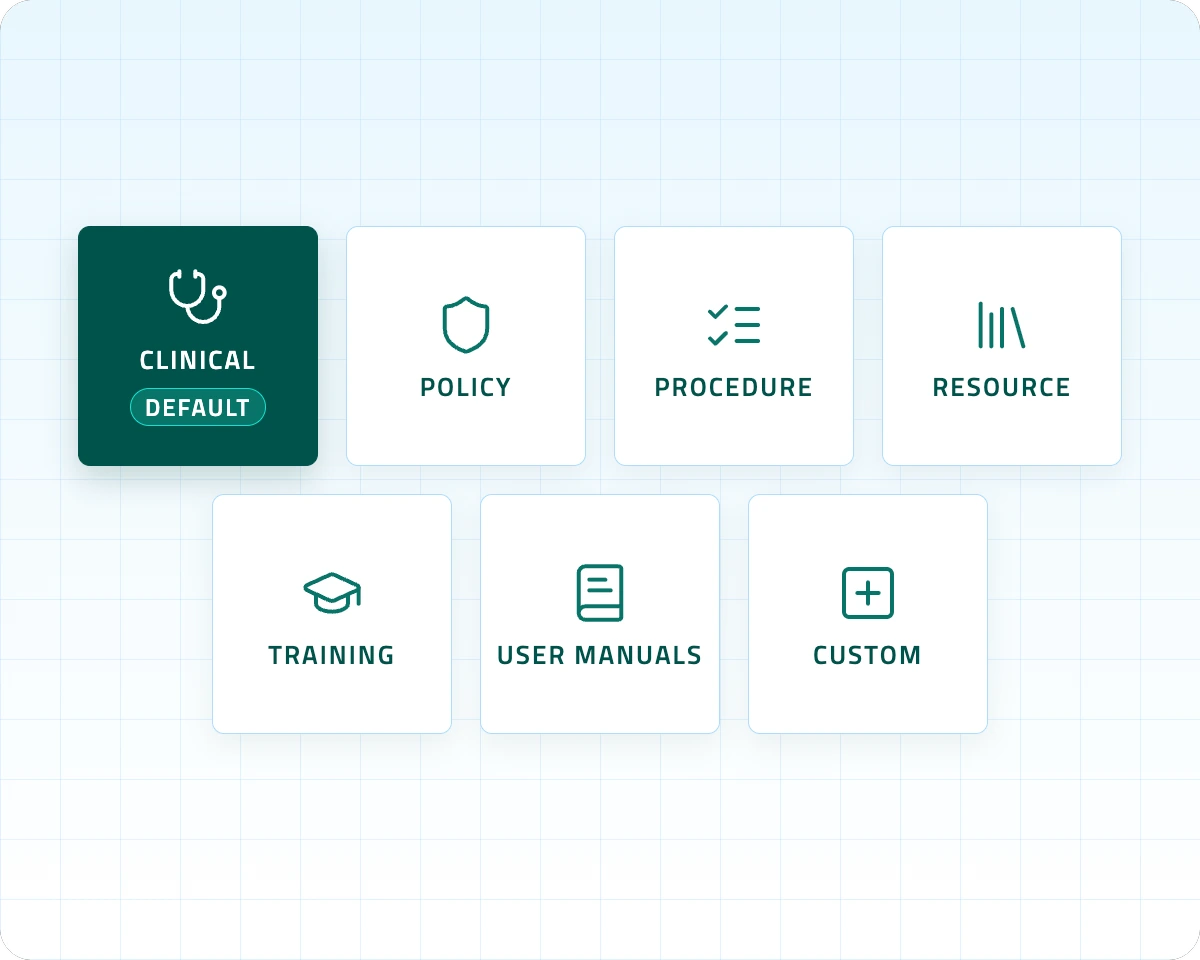
Clinical, Policy, Procedure, Resource, Training, User Manuals or Custom.

Past versions are kept

Each space keeps an archive of past versions to easily store or revert files if needed.

Share across your organization

Share from the organization down to any of its divisions.

Seven space types in OneDose: Clinical (default), Policy, Procedure, Resource, Training, User Manuals and Custom

Request more info

Give every crew the knowledge they need.

Tell us about your agency and the OneDose team will follow up with pricing, details and next steps for Spaces.

  • Get pricing for your agency
  • Learn how Spaces and the AI Assistant fit your crews
  • Plan which binders become spaces

Request more information

A few details and we’ll follow up with more on Spaces.