Providing a powerful application to ensure seamless access to EMS protocols across the region

Region 7 EMS Council has partnered with OneDose to provide you with the powerful mobile application, ensuring seamless access to protocols across the system. OneDose is a protocol and clinical support tool designed specifically for EMS providers. It allows users to:

  • Access PDF protocol documents offline
  • Find treatment details fast with smart search
  • Quickly reference key contacts, hospitals, and more
  • Upgrade your agency’s OneDose plan for advanced features

Region 7

Start by Creating a OneDose Account

1

Download the OneDose app from the iOS App Store or Google Play Store.

2

Open the app and click on New User? Sign Up.

3

Follow the prompts to enter your Department Code and PINYour Department Code and PIN can be obtained from your Agency Admin or your Region 7 EMS Council administrator, David Keeler – dkeeler@vaems.org.

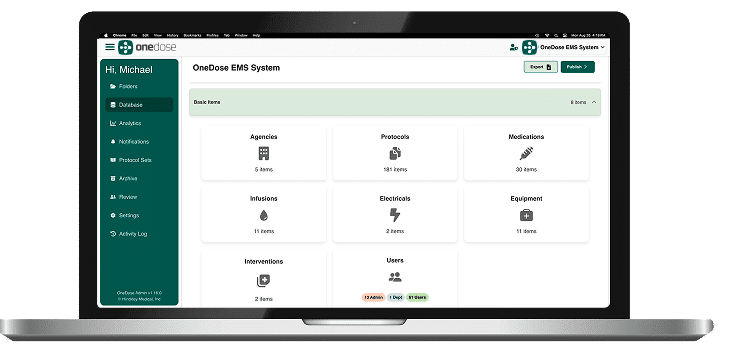
Note: If you would like Agency Admin Access for your organization within OneDose for Region 7 EMS Council, you can make that request here. As an Agency Admin, you’ll have the ability to customize the platform, creating a solution tailored to your team’s unique protocols and needs.

4

Select the agency or agencies to which you would like to subscribe. Note: If you signed up with one agency, but work at multiple agencies and would like to access additional agency accounts in your OneDose account, simply navigate to the app’s Settings>Account Settings>Subscribed Departments>Add and enter the additional Department Code and Pin for the agency you’d like to subscribe to. Then, press Validate and Confirm.

5

Follow the instructions, including entry of a valid email, username, first name, last name, PIN, and password. Store this information securely for future access.

6

Once the account has been created, log in for the first time to sync protocols and begin use.

Experiencing problems with OneDose? Please reach out to your Region 7 EMS Council administrator dkeeler@vaems.org or email helpdesk@myonedose.com with a relevant subject line, your name, your agency name, and a description of the problem.

Learn OneDose for Region 7 EMS Council

To learn more about operating OneDose, watch the training videos below. A full array of tutorials also can be found at hinckleymed.com/support/. (Please note that some content is applicable only to OneDose Premium users.)

Click HERE to view Region 7 OneDose Webinar

Region 7 EMS Council OneDose FAQs

Customize Your OneDose Experience

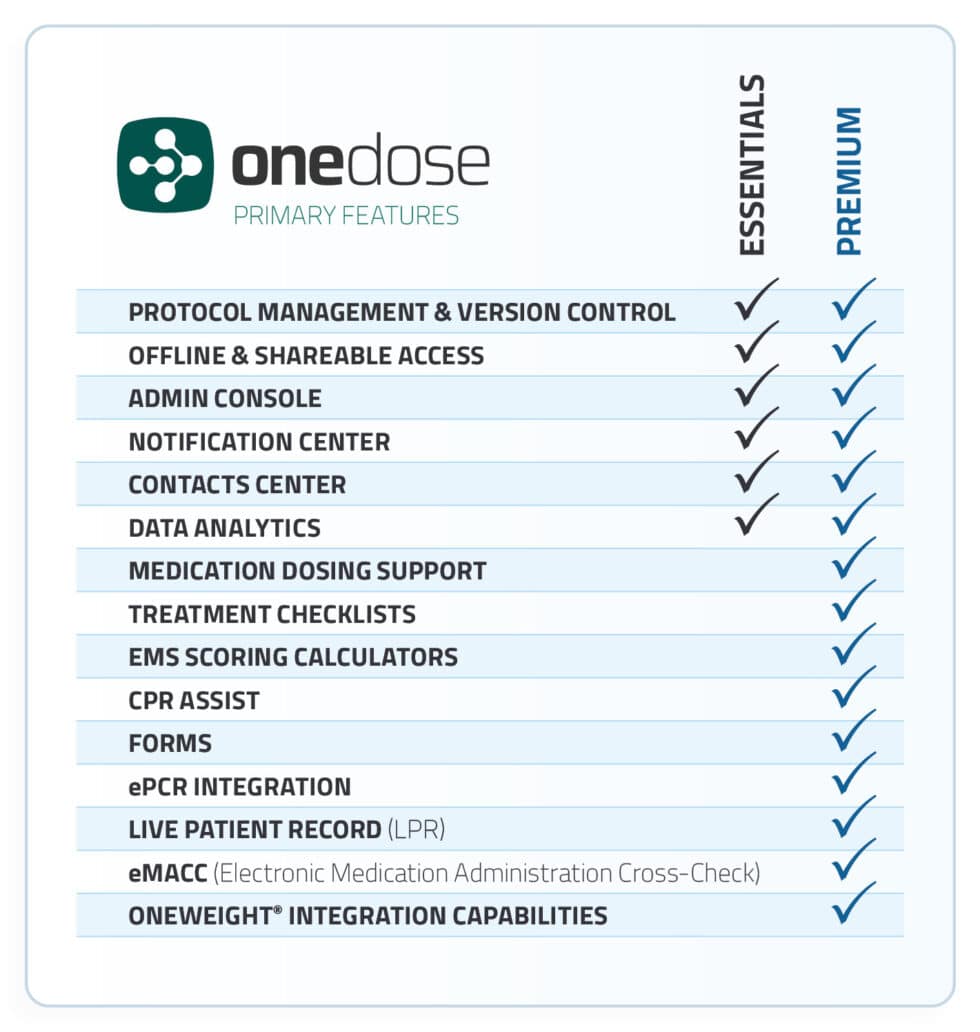
Region 7 EMS Council gives regional agencies full access to OneDose Essentials. Additionally, every agency can upgrade to OneDose Agency Premium at a significantly discounted rate. So, how do you know if it makes sense for your agency to upgrade? Compare features in this matrix and watch the video below it. We have also included answers to several common questions that many agencies ask before upgrading.

Contact sales@hinckleymed.com if you have any questions, or click here to book a demo if you’re interested in scheduling a time to learn more.

How do you know if it makes sense for your agency to upgrade?

Compare features in this matrix and watch the video below it. We also have included answers to several common questions that many agencies ask before upgrading.

Click to enlarge.

Common questions that many agencies ask before upgrading:

Ready to Customize? Submit your agency information here and our team will reach out to discuss your specific needs, furnish an estimate, and provide more information about OneDose and/or OneWeight upgrades.

Success Stories

OneDose

Sign up for our e-news list

Stay connected through our e-news list for timely, thoughtfully curated updates.